
Sender email addresses need to be registered to prevent them (or their domain) from being classified as spam sources.
Sender Email Addresses

JustRelate WebCRM utilizes Amazon Web Services to deliver emails.
To register an email address as a valid sender for mailings and notifications, follow these steps.
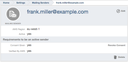
From the mailing senders page, create a new mailing sender. Enter the email address you wish to use. Also, select the AWS region to send emails from. The region defaults to
eu-west-1. Another option isus-east-1. Click "Create".On the new mailing sender page, click "Send Consent Request". This causes a confirmation email to be sent to the address. The owner of the email address can confirm the use of their email address by clicking the link contained in the email.
Amazon requires that email senders have a verified address. If the email address has not yet been verified by Amazon, they will also send an email to have the address verified.
As soon as the verification process has been completed, you can select the email address for mailings and notifications.