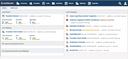
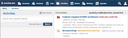
The first thing you will see after logging into the WebCRM is the dashboard, which gives you an overview of the most recent actions that were performed using the WebCRM, e.g. the most recent event, the latest changes made to an activity, etc.
Of course, the items on this page are shortcuts. Clicking them brings you directly to their respective individual pages for viewing or editing them.