
The WebCRM lets you define different types of activities and events. Such types can be equipped with individual sets of fields to adapt them to the business requirements they are meant to cover. You could, for example, define a Complaint activity type that includes a field for specifying a consolation gift to be given to the customer after accepting their issue.
Type Configurations
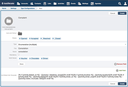
Type definitions are available for activities, events, and mailings. Creating a type definition begins with selecting one of these kinds of future entries. For activities, you can define, aside from ordinary fields, individual states for keeping track of and communicating the processing state of these activities. Event types, on the other hand, allow you to define participation fields for the purpose of recording event-specific pieces of information individual to every participant of this type of event, e.g. the number of guests they intend to bring with them.
The names of activity states that are meant to indicate that an activity has been closed must begin with an underscore character, e.g. _Closed.
Fields have a name, a title, a type, and a mandatory option. For the two enumeration types you can specify the available values. After you finished entering a value, hit the return key.
After creating a type definition, it can be selected when a new entity of the type concerned is created.
List Detail Info Template
For contact persons, accounts, activities, events, and mailings, the List Detail Info Template, which is part of a type configuration, determines the pieces of information every list item of that type includes. This applies to lists displayed when the main section of these entities is entered, or when a search has been made:
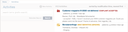
There is a default Liquid template for every type configuration that outputs the most relevant field values unless they are empty. The template for activities, for example, displays of an activity the contact person's name and account, the activity state, and a short excerpt of the comments that were added to the activity.
To adapt the field values shown, replace them with the desired ones or add another if clause. The available fields are documented in the WebCRM API Reference.