
There is an alternative editor available, the Scrivito Mailing Editor that lets you compose mailings using in-place editing, drag & drop widgets, and much more. If it didn't show up in the mailing creation form, please contact our support team. We'll happily enable this editor in your WebCRM.
Editing the Mailing Content
Emails composed using the classic text-based editors can consist of both a plain-text and an HTML version.
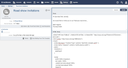
- Body: The contents of the mailing (plain text).
- HTML Body: In addition to the plain text, you can provide an HTML version of the mailing contents here.
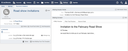

After delivery, a mailing cannot be edited again.
Personalizing a mailing using Liquid templates
You can use variables in the mailing texts (Subject, Body and HTML Body) to have the values of contact person fields inserted into the generated emails. For this, and for the purpose of generating content by means of a script, the Liquid templating language is available. Learn more about how Liquid templates are used in the WebCRM.
In short, to insert field values into the mailing text, use a pair of double braces:
You, as a {{contact.job_title}}, might be interested in...
Next to the contact keyword for querying the respective recipient of the email, the mailing keyword for accessing the data of the mailing concerned is available. Thus, if the mailing is associated with an event, it can be accessed using mailing.event to retrieve event data such as mailing.event.location. The names of the fields that can be retrieved are listed below.
Mailing fields
| Field name | Meaning |
|---|---|
contact | The contact person to whom the email is sent. You can access all contact person fields, e.g.
|
mailing.title | Mailing title |
mailing.email_from | Sender address of the emails |
mailing.email_reply_to | Address to which replies are sent |
mailing.email_subject | Subject of the emails |
mailing.event | The event associated with the mailing. You can access all event fields, e.g.
|
Please see the Analyzing Mailing Statistics section to learn how to interpret the various results of the delivery process.