
Tracking links with Google Analytics only works for links that are tracked using the WebCRM.
Enabling Google Link Tracking

WebCRM mailings support the Google Measurement Protocol for email link tracking. In order to track link clicks with Google Analytics, you need to append parameters such as utm_source, utm_medium and utm_campaign to them and have the email client load an invisible tracking image with even more parameters. Putting those manually into the content of a mailing can get tedious.
To ease Google link tracking, the WebCRM includes three mailing attributes, Google Campaign, Google Tracking ID, and Google Document Title. If you provide at least the campaign name and your website tracking ID, the WebCRM handles the rest.
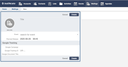
Tracking link clicks
Every tracked link in your mailing is automatically extended by the utm_source, utm_medium and utm_campaign parameters. The value for utm_source is always newsletter, the value for utm_medium is always email. The value for utm_campaign is the campaign name you have chosen. So, if your mailing contains
<a href="{{"http://example.com/?foo=bar"|tracked_link}}">Link</a>
the WebCRM tracks each link click and then redirects to the following URL:
http://example.com/?foo=bar&utm_source=newsletter&utm_medium=email&utm_campaign=mycampaign
It is assumed that the website you're linking to processes these Google parameters and sends them to GA.
Tracking email open actions
If your mailing contains <img src="{{tracking_image_url}}">, the WebCRM tracks email open actions and then redirects to the Google tracking image:
https://www.google-analytics.com/collect?v=1&aip=1&tid=...&cid=...&uid=...&t=event&ec=email&ea=open&dp=...&dt=...&cn=...&cm=email
In this URL,
tidis the Google Tracking ID you provided.aip=1anonymizes the IP address.cidis a client ID which is automatically generated by the WebCRM.uidis the SHA256 hash of the recipient email address (e.g.d862fc5f7c662759fc6560b58153d3097852c10833045259c1b183a9ab59395aforfoo@example.org).dpis kind of a document path of the mailing – it is purely virtual because the mailing itself has no internet address. Its value is/mailings/, followed by the mailing ID, e.g./mailings/d8557766ffa6ab1c4c51d08369a339b3.dtis the Google Document Title (with fallback to the mailing's subject if not specified).- And finally,
cnis your Google Campaign Name.