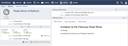
After preparing the deliveries for the intended recipient email addresses and testing the mailing, you might want to deliver the mailing to the recipient email addresses.
Clicking the Deliver button on the mailing view page releases the mailing, causing background workers to take over the delivery process. For every prepared delivery entry, a personalized email is formatted and then sent using Amazon SES (Simple Email Service).
Even after a mailing has been released, you can add further deliveries to it. Clicking the Deliver button on the mailing again only processes the newly added deliveries.